
 BEST WORDPRESS SECURITY PLUGIN
Protect Your Site With a Powerful WordPress Security Toolkit
The all-in-one WordPress security plugin for a custom login path, upload protection, login alerts, brute-force defense, 2FA, audit logs, and health checks — built as a complete WordPress security system.

 Buy Now
 Quick Product Overview
 Secure Checkout by Freemius
 30-Day Money Back Guarantee
Secure Product
Powered by Trusted Code

5-Star Rated
Rated 4.9/5 by customers

Instant Download
Get started right away

Automatic Updates
Always the latest version

Premium Support
We're here to help
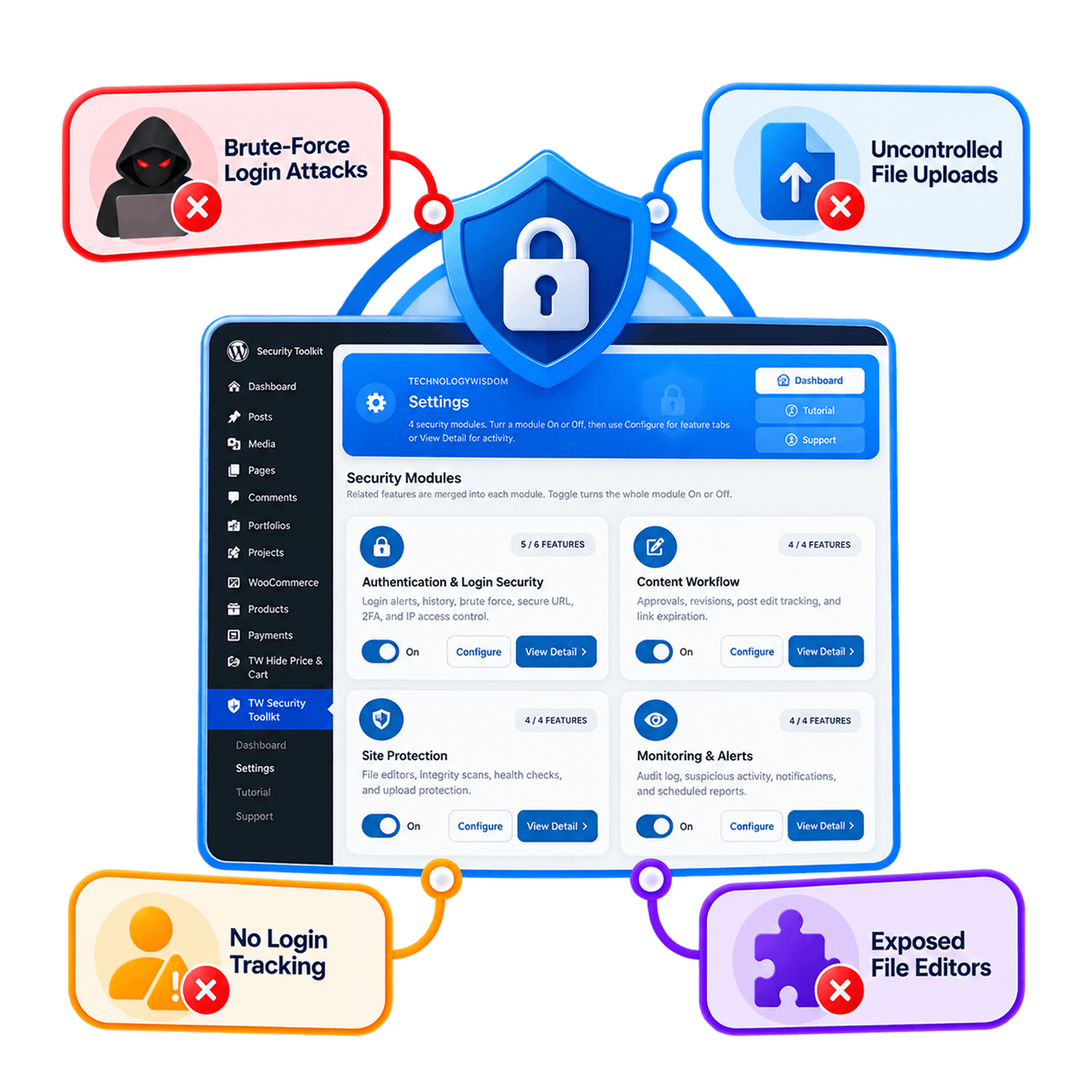
The Problem WordPress security is not simple.
Without a dedicated WordPress security plugin, you end up dealing with:
- The default
wp-login.phpURL exposed to bots and brute-force attacks - No role-based control over file uploads, types, sizes, or image dimensions
- No login alerts or last-login tracking
- Theme and plugin file editors left open in wp-admin
- No record of who last changed posts, pages, or products
- Multiple plugins and disconnected WordPress security workflows
That leads to:
- A larger attack surface on every WordPress site you manage
- Risky uploads that can introduce malware
- No visibility into who logged in or changed content
- Time-consuming, fragmented security management
The Solution One WordPress security plugin that solves this in a single system.
Instead of stacking separate tools, TW Security Toolkit gives you:
- A custom Secure Login Path that hides
wp-login.php - Upload Guard with role-based type, size, and MIME checks
- Login Alert & Tracker emails
- One-click Disable File Editor
- Content tracking, link expiration, CPT revisions, and approval emails
- Brute-force protection, IP blacklist, and email login OTP
- A shared Security Dashboard, audit log, health check, and file-change alerts
All working together as a complete WordPress security system — and nothing turns on until you toggle it On.
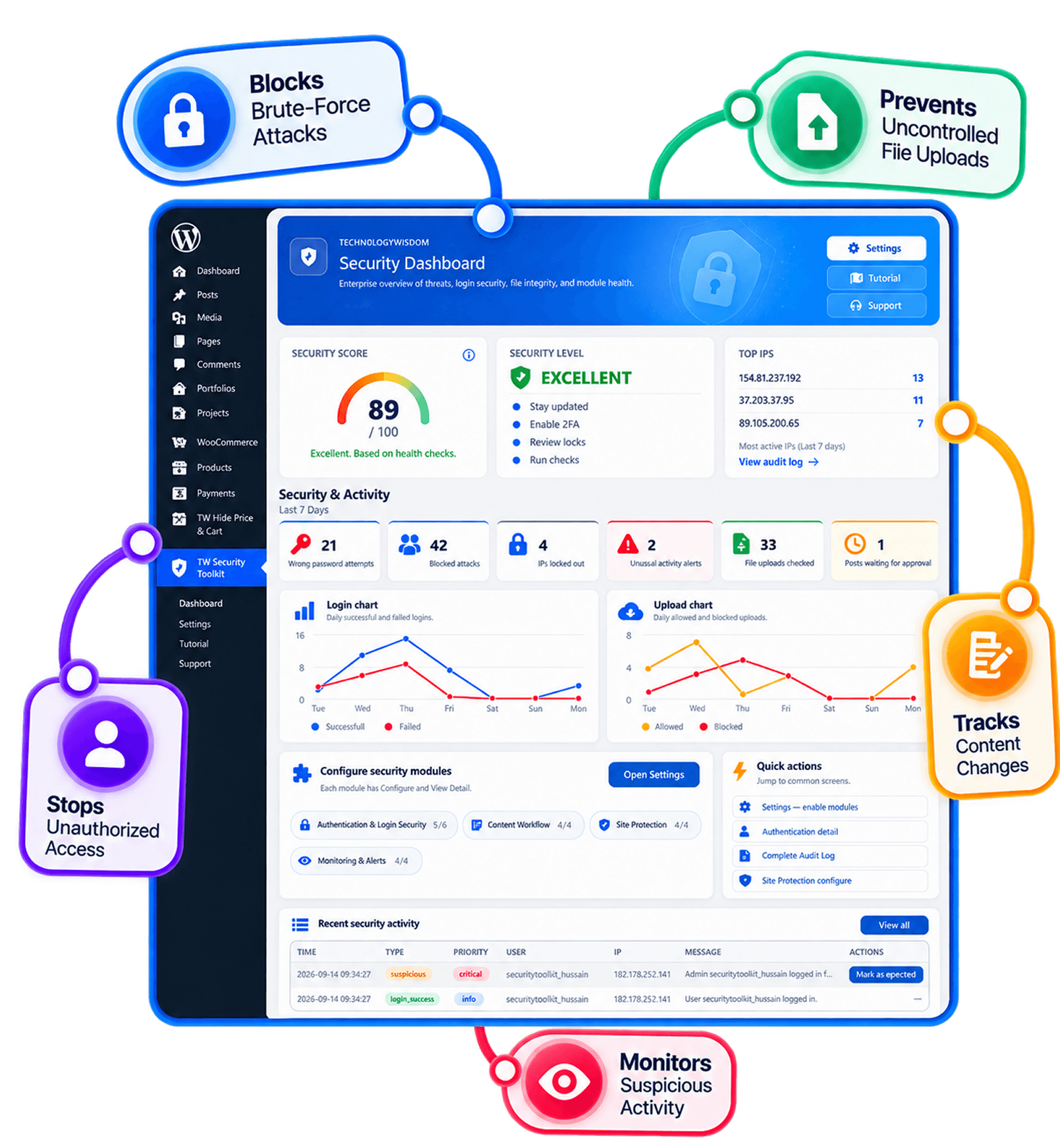
Core Capabilities
Authentication & Login Security
- Login Alert & tracker
- Secure Login Path
- Failed Login & Brute-force Protection
- IP blacklist
- Login OTP & Role Policies
- Login History by User
Content Workflow
- Post Modifier Tracker
- Post Approval Notifier
- CPT Revisions
- Link Expiration
Site Protection
- Disable File Editor
- File Change Detection
- Security Health Check
- Upload Guard
Monitoring & Alerts
- Complete Audit Log
- Suspicious Activity Detection
- Email, Slack & Discord Notifications
- Scheduled Security Reports
- Automated Emails
Why This Plugin Practical WordPress security without enterprise complexity.
TW Security Toolkit is the practical hybrid: activity auditing paired with lightweight login protection — not another heavy firewall.
- All-in-one solution — login security, audit logging, user monitoring, upload protection, and reporting in one plugin
- Simple and lightweight — easier to configure than enterprise suites, with minimal performance impact
- Built for non-technical users — clear controls and sensible defaults, not overwhelming dashboards
- Better user activity tracking — see who logged in, what changed, and what looks suspicious
- Agency-friendly — manage multiple sites with flat licensing instead of stacking micro-plugins
- Built on proven free plugins — a natural upgrade path from tools users already trust
- Nothing forced on — every tool stays Off until you enable it
One plugin for security, accountability, and workflow monitoring — without the bloat or price volatility of ecosystem-locked competitors.
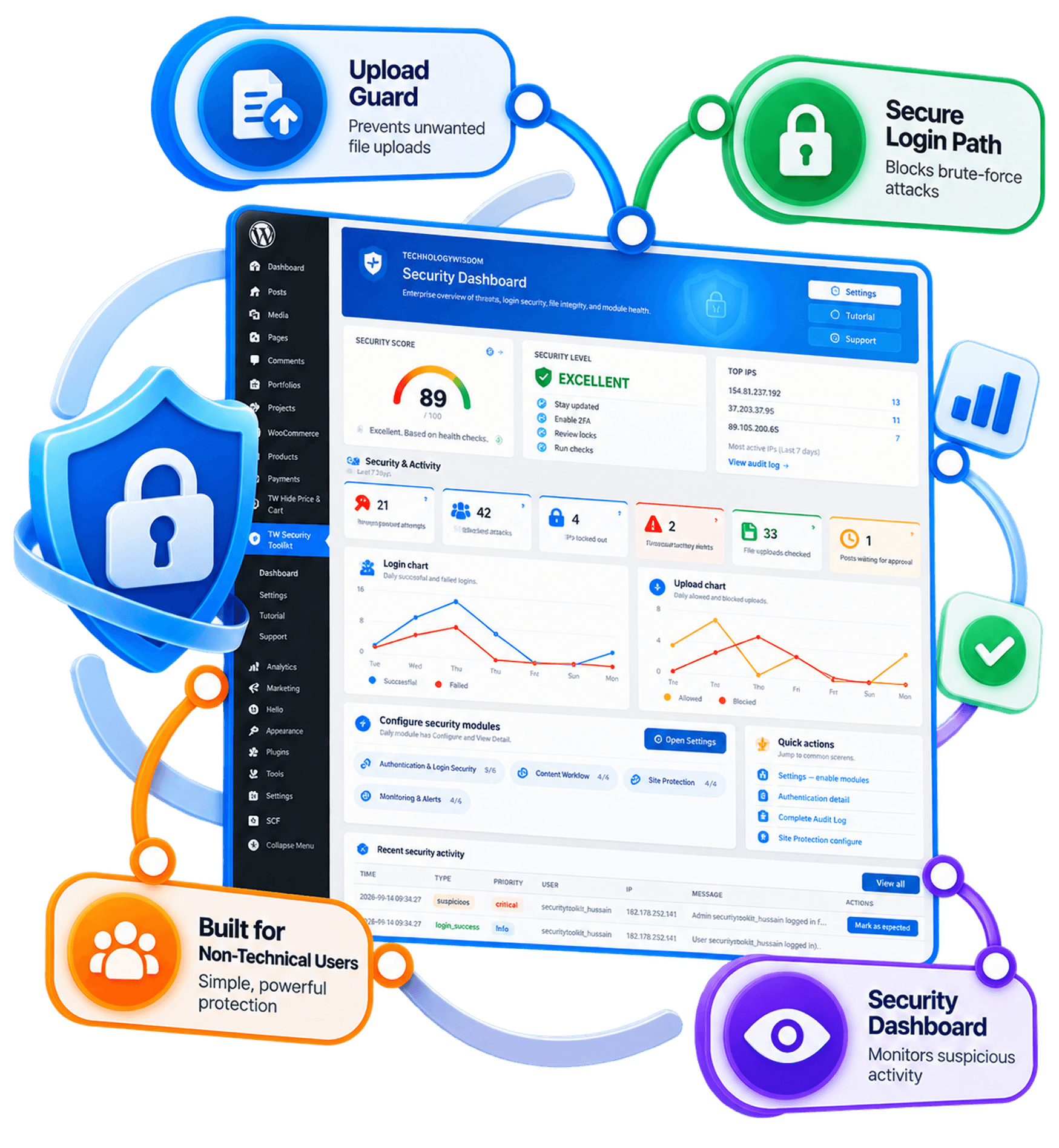
Start Free → Upgrade When Ready Start with Free Plugins, Upgrade When You Need More


Upgrade to TW Security Toolkit — the complete WordPress security plugin for audit logs, email login OTP, brute-force protection, IP blacklist, health checks, and file-change alerts.
Free vs Premium
| Feature | TW Individual Plugins (Free) | Security Toolkit Plugin (Premium) |
|---|---|---|
| Authentication & Login Security | ||
| Custom secure login path | ✓ | ✓ |
| Hide default wp-login.php | ✓ | ✓ |
| Login alert emails | ✓ | ✓ |
| Last-login tracking | ✓ | ✓ |
| Login history by user and IP | ❌ | ✓ |
| Failed login & brute-force protection | ❌ | ✓ |
| IP blacklist | ❌ | ✓ |
| Login OTP (2FA) | ❌ | ✓ |
| Content Workflow | ||
| Post modifier tracker | ✓ | ✓ |
| Post approval notifier | ✓ | ✓ |
| CPT revisions control | ✓ | ✓ |
| Link expiration dates | ✓ | ✓ |
| Site Protection | ||
| Disable theme / plugin file editor | ✓ | ✓ |
| Role-based upload limits | ✓ | ✓ |
| MIME, size, and image dimension checks | ✓ | ✓ |
| File change detection | ❌ | ✓ |
| Security health scan | ❌ | ✓ |
| Monitoring & Alerts | ||
| Security dashboard (365 overview) | ❌ | ✓ |
| Complete audit log | ❌ | ✓ |
| Email, Slack & Discord notifications | ❌ | ✓ |
| Scheduled security reports | ❌ | ✓ |
| Suspicious activity detection | ❌ | ✓ |

Who Is This For
Built for users who need practical WordPress security and activity monitoring — without enterprise complexity or cost.
- WordPress agencies managing multiple client sites who need fast answers to “who changed what, and when”
- Freelancers and developers who want one plugin instead of stacking login, audit, and file-monitoring tools
- Small business owners — including WooCommerce sites — who want set-and-forget protection without jargon-heavy dashboards
- Editorial teams that need change tracking and approval visibility
- Anyone tired of upselling, lock-ins, and paying separately for essential security features
TW Security Toolkit is not an enterprise Web Application Firewall (WAF) or managed malware-removal service. For advanced traffic filtering, managed threat response, or enterprise-scale protection, use a specialized security platform alongside WordPress.
Purchase NowBetter Features, Fairer Pricing
Most competitors focus on either heavy security or activity logging — few combine both. Customers want one lightweight plugin, clearer pricing, and less upselling. TW Security Toolkit brings login security, audit logging, workflow monitoring, and alerts together for just $79.99/year$40.00/year.
| Feature | Typical Security Plugins | TW Security Toolkit |
|---|---|---|
| Custom login path | Separate Plugin | ✓ |
| Role-based upload guard | Rare | ✓ |
| Login alert emails | Limited | ✓ |
| Disable file editor | Separate Plugin | ✓ |
| Brute-force protection | Sometimes | ✓ |
| Login OTP & role policies | Often Add-on | ✓ |
| Complete audit log | Separate Plugin | ✓ |
| User activity monitoring | Limited | ✓ |
| IP blacklist | Sometimes | ✓ |
| WordPress workflow tools | Rare | ✓ |
| Slack / Discord alerts | Rare | ✓ |
| Scheduled security reports | Rare | ✓ |
| File change detection | Often Add-on | ✓ |
| Security health check | Limited | ✓ |
| Annual Cost | $150–$300+/year | $79.99/year $40.00/year |
Take Full Control of Your WordPress Security
Stop patching together multiple plugins. Start with a complete WordPress security plugin built for login protection, monitoring, and hardening.



Personal
Best for small business owners managing 1 WordPress site

Limited-time launch offer: Use coupon code LAUNCH50 for 50% OFF.

Business
Ideal for freelancers and developers managing multiple sites
Limited-time launch offer: Use coupon code LAUNCH50 for 50% OFF.

Agency
Built for agencies managing 10–50+ client WordPress sites

Limited-time launch offer: Use coupon code LAUNCH50 for 50% OFF.

NOTE: All plans include the same core security features.
The primary difference between the plans is the number of websites (license activations) covered, allowing you to choose the option that best fits your needs.

30-day money-back guarantee:
Try any plan risk free. If it's not the right fit, get a full refund within 30 days, no questions asked.
SummaryThe complete WordPress security plugin combines
- Secure Login Path to hide
wp-login.php - Upload Guard with role-based type, size, and MIME rules
- Login Alert & Tracker emails
- Disable File Editor in one toggle
- Post modifier tracking, link expiration, CPT revisions, and approval emails
- Security Dashboard and Complete Audit Log
- Brute-force protection, IP blacklist, and email login OTP
- Email, Slack, and Discord notifications
- Scheduled reports and suspicious activity detection
- Security Health Check and file change detection
All-in-one WordPress security toolkit — a practical security system for site owners, agencies, WooCommerce stores, and growing WordPress sites.

Get Up and Running in Minutes
Activate TW Security Toolkit, open the dashboard, and turn on only the security tools you need. Every feature stays Off until you enable it, so you remain in control from day one. Download the PDF guide to learn how to configure and manage the available security tools effectively.
Frequently Asked Questions
No. Activating the plugin only loads the toolkit menu. Each security tool stays inactive until you enable it and save settings.
Yes. Every security tool has its own On/Off toggle. You can enable only what you need and leave the rest Off.
No. The toolkit is managed from the WordPress admin dashboard. You can configure tools, review alerts, and adjust settings without writing code.
Yes. TW Security Toolkit works with standard WordPress themes and does not depend on a specific theme to run.
You can start with individual free tools such as Secure Login Path, Upload Guard, and Login Alert & Tracker. The full TW Security Toolkit brings those tools together with monitoring features like the audit log, brute-force protection, email login OTP, health checks, and file-change alerts in one place.